
Node Monitoring Templates
Use templates for streamlined setup, allowing creation from existing nodes or scratch, customizable section inclusions, and easy application to IP nodes, with interactive sensor configurations requiring reference nodes for detailed settings.
[+] Monitoring Template
Node Monitoring Template is a settings node. Its sole purpose is to provide settings to other nodes. When parameters change, they propagate automatically to associated nodes.
You can create a template from scratch or choose the existing node as a source for the template. Additionally, you can assign the template to the prototype node.
The template can contain all sections or sections that can be excluded, so when the template is applied to the node, it won't override these parts.
Except for sensors, you can set up all node monitoring settings similarly, like on the real monitored node. When setting a sensor, you need to select a reference node. Many sensor configurators are interactive and need to pull some data from the actual node. For example, the WMI sensor may need to read WMI classes; the SQL sensor needs a list of databases.
Using Templates
You can use templates for IP nodes monitored by NetCrunch Server. Monitoring probe nodes are not supported. Using templates is even easier than creating them.
- Select the template for the node.
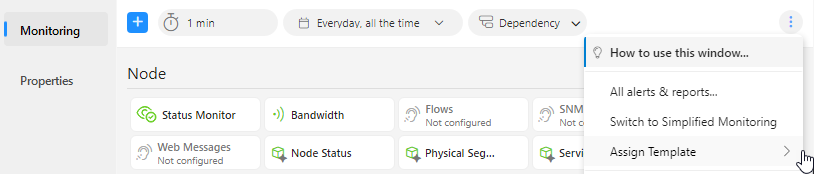
- Template sections will cover your node settings. You can see the settings applied underneath.
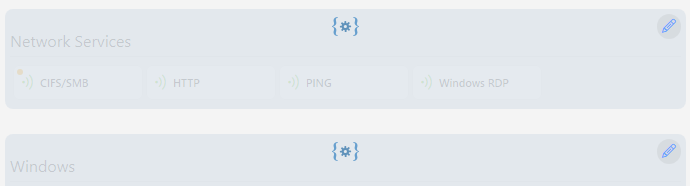
- You can override the settings of a particular section by clicking on the pencil icon at the top right corner.