Windows Configuration - Hardware, Software, Hotfixes
NetCrunch can collect information about Windows machines' hardware, installed software, and hotfixes.
hardware
Hardware
The sensor allows monitoring of the hardware configuration of Windows machines using WMI.
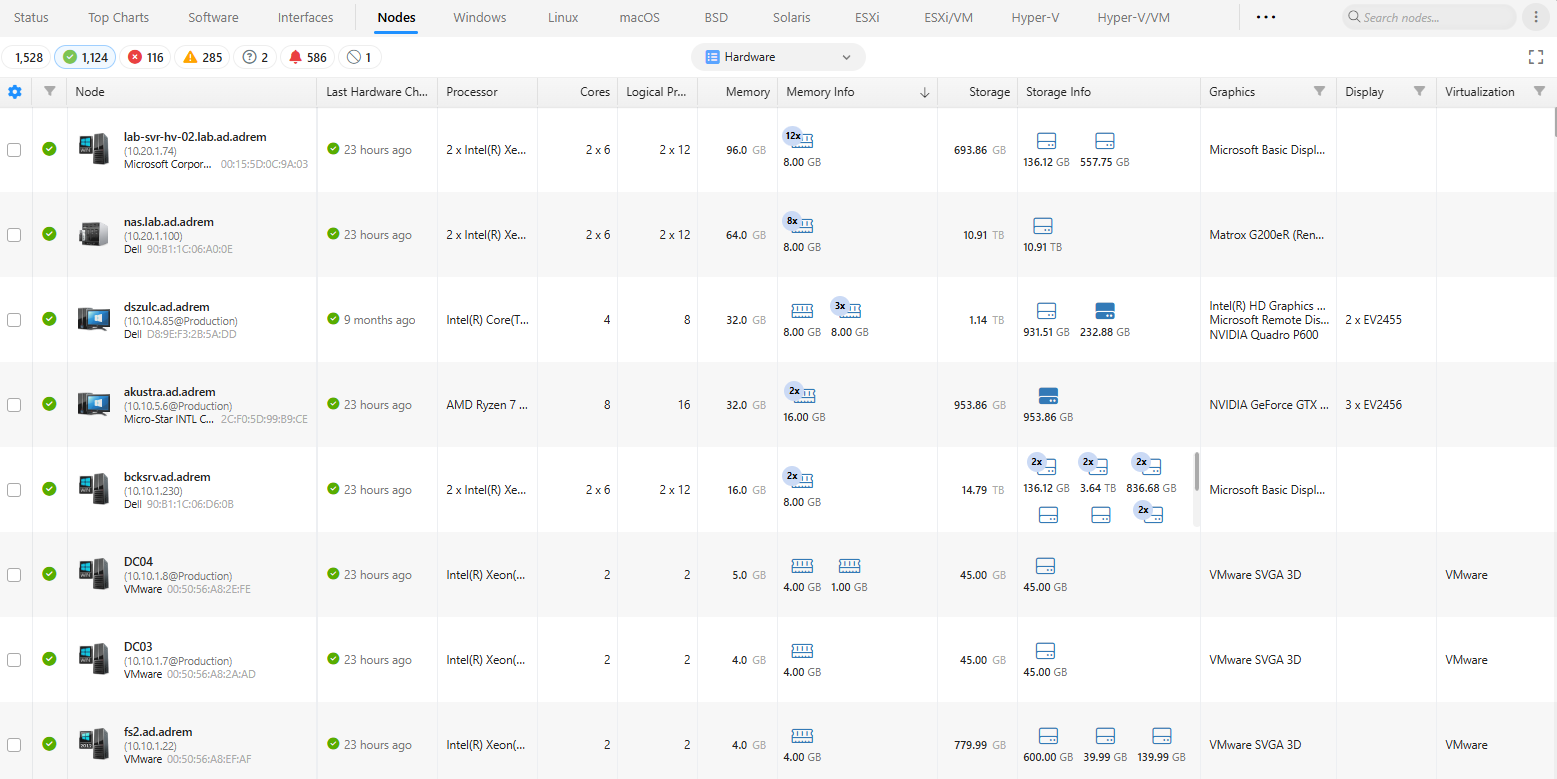
Using this sensor, you can download and monitor for changes in the hardware configuration of Windows-based hosts. The hardware configuration includes the following:
- Processor
- Memory
- Storage
- Video
- Monitors
Requirements
The Windows monitor automatically adds the sensor. It requires access to WMI regardless of Windows monitoring type. It uses a Windows credential profile. No additional configuration is required.
Options
You may change scheduling options.
Alerts
- Hardware config changed
Alert is added to the Basic Windows Monitoring pack by default.
Views
After choosing the Hardware in the Nodes tab, the sensor presents the data for multiple nodes in the Nodes tab.
The last changes and the list of installed hardware can be found in Node StatusSystem ViewsHardware
software
Software
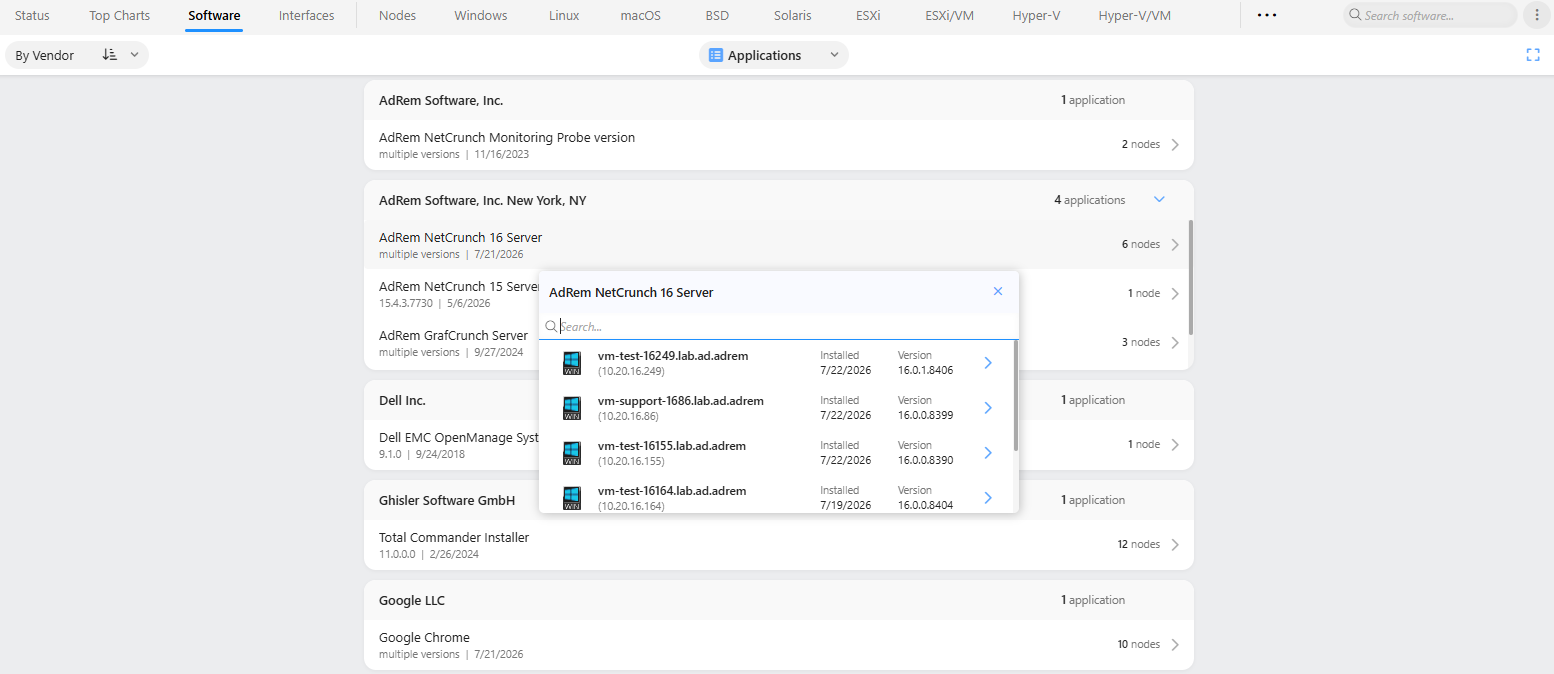
The sensor collects information about installed software and can alert you when installed, uninstalled, or updated applications are installed. Also, thanks to the sensor, you can easily see the summary of installed software (per node group) on versions and find where it is installed. The last changes and the list of installed software can be found in Node StatusSystem ViewsSoftware
The sensor requires access to WMI on the destination computer.
Software Summary
hotfixes
Hotfixes
The sensor collects information about installed hotfixes and can alert you when hotfixes are installed or uninstalled. You can find the latest changes and the list of installed software in Node Status System Views Hotfixes. This sensor requires access to WMI on the destination computer.
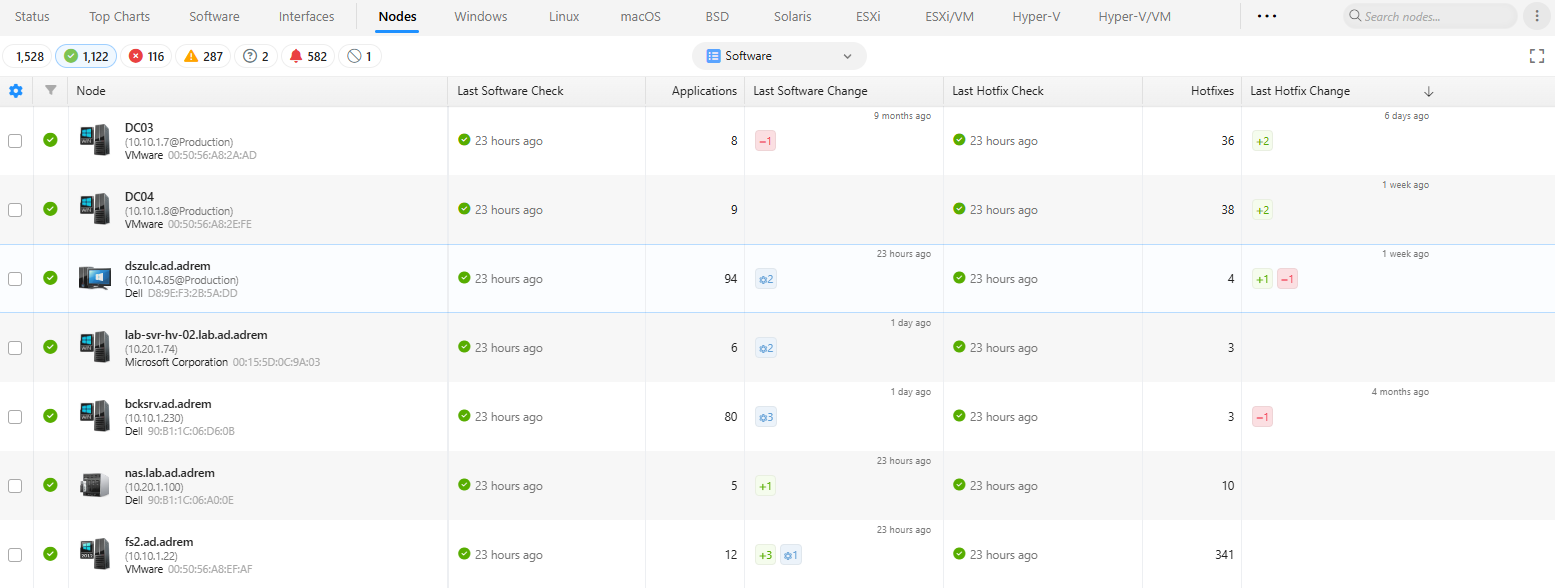
Software View for Nodes
It shows you a summary of recent changes for software and hotfixes.